

-
If your company has established a approval process that follows specific order criteria, you can view the order history under the My Approvals section.
End User:
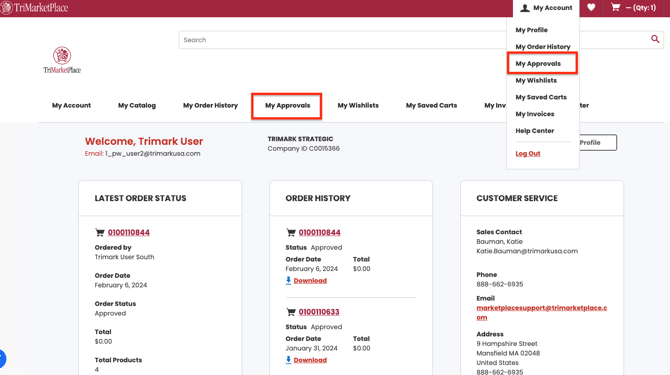
The End User has the ability to access the My Approvals feature either through the top navigation menu or from the My Account dropdown.
My Approvals Page:
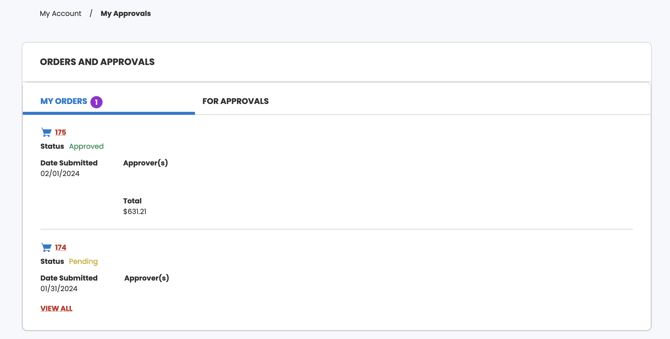
The My Approvals Page will display a list of all the approvals that the End User has submitted to the Approver.
Approver:
The My Approvals page is where the End User can find all the orders they have submitted for approval.
Approve Order:
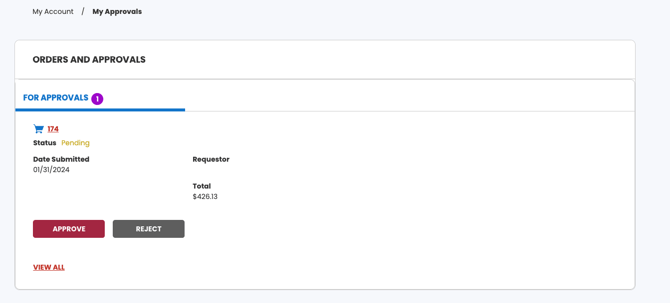
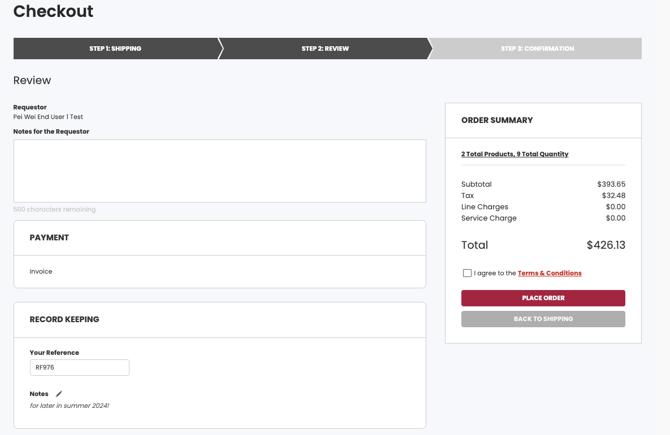
To approve this order, click on the Approve Order button. You will be directed to the Order Confirmation page. Here, you can provide a note for the User, accept the terms and conditions, and place the order by clicking on the Place Order button.
Reject Order:
Click on the Reject Order button to decline this order and provide a note to the User explaining the reason for rejecting it.